
 Tomb Raider I
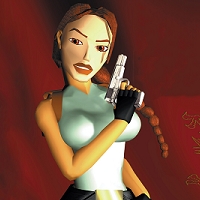 Tomb Raider II
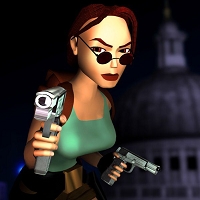 Les aventures de Lara Croft
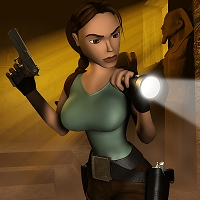 La révélation finale
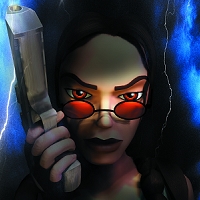 Sur les traces de Lara Croft
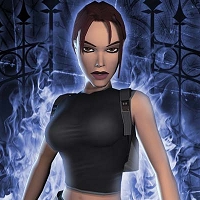 L'ange des ténèbres
 Tomb Raider: Legend
 Tomb Raider: Anniversary
 Tomb Raider: Underworld
 Tomb Raider (2013)
 Rise of the Tomb Raider
 Shadow of the Tomb Raider
 TRI-III Remastered
 TRIV-VI Remastered
 Lara Croft and the Guardian of Light
 Lara Croft and the Temple of Osiris
 Lara Croft: Reflections (annulé)
 Lara Croft: Relic Run
 Lara Croft GO
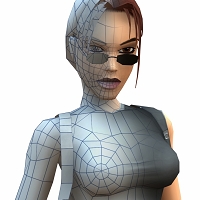 La création du personnage
 Les biographies de Lara Croft
 Toutes les destinations de Lara
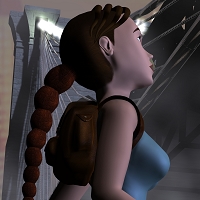 La chronologie des aventures de Lara
 Les meilleures citations de Lara
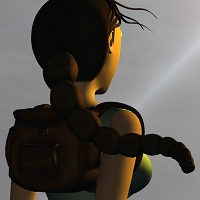 L'histoire de l'emblématique sac-à-dos
 Lara Croft dans la publicité mondiale
 Lara Croft: Tomb Raider (2001)
 Le berceau de la vie (2003)
 Tomb Raider (2018)
 Tomb Raider: Obsidian (2022)
 Re\Visioned : Tomb Raider
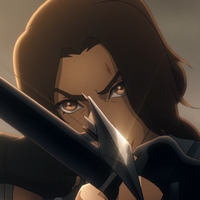 Tomb Raider : La légende de Lara Croft
 Lara Croft: Tomb Raider (2001)
 Le berceau de la vie (2003)
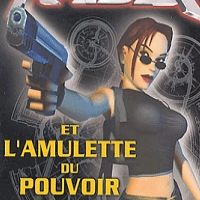 L'amulette du pouvoir (2004)
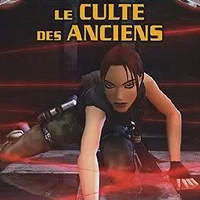 Le culte des anciens (2004)
 L'homme de bronze (2005)
 Les dix-mille immortels (2014)
 L’épée de gwynnever (2016)
 Path of the Apocalypse (2018)
 Top Cow (2000-2004)
 Tomb Raider I (2013-2015)
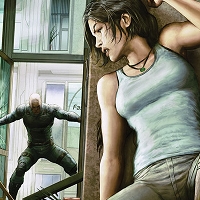 Tomb Raider II (2016-2017)
 Survivor's Crusade (2017-2018)
 Inferno (2018)
 The Frozen Omen (2015)
 Dark Aeons (BD française)
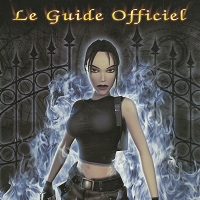 Les guides officiels
Les commandes modernes de Tomb Raider V Remastered
Cette page vous détaille toutes les commandes possibles pour la version remasterisée (contrôles modernes) de Tomb Raider V, disponible sur Playstation 4/5, Xbox One, Xbox Series S/X, Nintendo Switch et PC.
Nous vous donnons sur cette page la liste des commandes par défaut sur chaque support. Il est possible de modifier à votre guise les commandes du jeu via la le menu principal ou les lunettes de soleil dans l'inventaire dans la catégorie "Options", puis "Contrôles". 😉
Sur cette page :
Commandes de base
| MOUVEMENT | PLAYSTATION | XBOX | SWITCH | PC |
|---|---|---|---|---|
| Se déplacer |  |
 |
 |
W A S D |
| Marcher |  |
 |
 |
Alt |
| Sauter |  |
 |
 |
Espace |
| Action (ramasser un objet, utiliser un levier) |  |
 |
 |
E |
| Action secondaire |  |
 |
 |
Clic gauche de la souris enfoncé |
| Dégainer |  enfoncée enfoncée |
 enfoncée enfoncée |
 enfoncée enfoncée |
Clic droit de la souris enfoncé |
| Tirer | enfoncée + |
enfoncée + |
enfoncée + |
Clic droit enfoncé + Clic gauche |
| Faire une roulade |  |

| 
| Ctrl |
| S'accroupir |  + +  / / |
 + +  / / |
 + +  / / |
; + Direction |
| Regarder |  puis puis  |
 puis puis  |
 puis puis  |
Clic molette puis Souris |
| Déplacer la caméra | |
|
|
Déplacer la souris |
| Changer de mode (Original / Remastered) |  |
 |
 |
F1 |
Commandes à plusieurs touches
| MOUVEMENT | PLAYSTATION | XBOX | SWITCH | PC |
|---|---|---|---|---|
| Sauter dans une direction | + |
+ |
+ |
Espace + W A S D |
| Sauter avec élan |  puis puis |
 puis puis |
 puis puis |
W A S D puis Espace |
| Se retourner en plein saut | + |
+ |
+ |
Espace + Fin |
| S'accrocher | Lara reste accrochée automatiquement | Lara reste accrochée automatiquement | Lara reste accrochée automatiquement | Lara reste accrochée automatiquement |
| Lâcher prise | |
|
| Ctrl |
| Chute contrôlée (près d'un rebord) | enfoncée + |
enfoncée + |
enfoncée + |
Ctrl enfoncée + Bas |
| Longer un rebord (en étant suspendu) |  / / |
 / / |
 / / |
A S |
| Grimper / Se hisser | |
|
|
W |
| Pousser un bloc | enfoncée + |
enfoncée + |
enfoncée + |
E enfoncée + W |
| Tirer un bloc | enfoncée +  |
enfoncée +  |
enfoncée +  |
E enfoncée + D |
| Sprinter |  + +  / / |
 + +  / / |
 + +  / / |
! + Haut |
| Faire un saut de l'ange | + + |
+ + |
+ + |
Espace + Alt + WASD |
| Faire le poirier | + |
+ |
+ |
W + Alt |
| Reculer (en étant accroupi) | + + |
+ + |
+ + |
; + Alt + bas |
| Faire une roulade d'un rebord | + + |
+ + |
+ + |
; + Haut + Espace |
| Viser avec le revolver/fusil H&K | enfoncée + Maintenir |
enfoncée + Maintenir |
enfoncée + Maintenir |
Clic droit enfoncé + Maintenir Clic molette |
Commandes sur une corde (balancement)
| MOUVEMENT | PLAYSTATION | XBOX | SWITCH | PC |
|---|---|---|---|---|
| S'accrocher à une corde | puis Lara reste accrochée automatiquement |
puis Lara reste accrochée automatiquement |
puis Lara reste accrochée automatiquement |
Clic gauche de la souris puis Lara reste accrochée automatiquement |
| Monter ou descendre |
|
|
|
W / S |
| Tourner à gauche | |
|
|
A |
| Tourner à droite | |
|
|
D |
| Se balancer | |
|
|
! |
| Sauter de la corde | |
|
|
Clic gauche de la souris enfoncé |
| Lâcher prise | |
|
| Ctrl |
Commandes sur une corde (funambule)
| MOUVEMENT | PLAYSTATION | XBOX | SWITCH | PC |
|---|---|---|---|---|
| Utiliser une corde | |
|
|
Clic gauche de la souris enfoncé |
| Gérer l'équilibre |
|
|
|
A D |
Commandes dans l'eau
| MOUVEMENT | PLAYSTATION | XBOX | SWITCH | PC |
|---|---|---|---|---|
| Plonger (depuis la surface) | |
|
|
Espace |
| Nager sous l'eau | + |
+ |
+ |
W A S D + Souris |
| Faire une roulade | |
|
|
Ctrl |
| Déplacement à la surface | |
|
|
W A S D |
| Sortir de l'eau | + |
+ |
+ |
W + Clic gauche |
Navigation dans les menus
| MOUVEMENT | PLAYSTATION | XBOX | SWITCH | PC |
|---|---|---|---|---|
| Inventaire | Pavé tactile |  |
 |
Echap |
| Confirmer | |
|
|
Ctrl / Enter |
| Annuler | |
|
|
Echap |
Commandes du mode photo
| MOUVEMENT | PLAYSTATION | XBOX | SWITCH | PC |
|---|---|---|---|---|
| Activer le mode photo | + simultanément |
+ simultanément |
+ simultanément |
F3 |
| Déplacer la caméra | |
|
|
W A S D |
| Tourner la caméra | |
|
|
Déplacer la souris |
| Tourner la caméra | |
|
|
Déplacer la souris |
| Changer la hauteur de la caméra (section photo) | / |
/ |
/ |
Clic gauche + Souris |
| Changer de section | /  |
/  |
/  |
Q / E |
| Déplacer Lara horizontalement (section modèle) | / enfoncée + |
/ enfoncée + |
/ enfoncée + |
Clic gauche + Souris |
| Déplacer Lara verticalement (section modèle) | / enfoncée + |
/ enfoncée + |
/ enfoncée + |
Clic droit + Souris |
| Rétablir la caméra | |
|
|
Espace |
| Paramètres par défaut | |
|
|
Alt |
| Masquer l'interface | |
|
|
Enter |
| Quitter le mode photo | |
|
|
Enter |
Raccourcis
Il est possible de changer le type de munitions d'une arme en appuyant de nouveau sur les touches correspondantes, une fois que l'arme en question est équipée.
| MOUVEMENT | PLAYSTATION | XBOX | SWITCH | PC |
|---|---|---|---|---|
| Pistolets / Fusil H&K | Pavé tactile + |
+ |
+ |
1 |
| Fusil à pompe / Lance-grappin | Pavé tactile + |
+ |
+ |
2 |
| Revolver / Desert Eagle | Pavé tactile + |
+ |
+ |
3 |
| Uzis | Pavé tactile + |
+ |
+ |
4 |
| Torche | Pavé tactile + |
+ |
+ |
F |
| Petite trousse | - | - | - | 9 |
| Grande trousse | - | - | - | 0 |
| Sauvegarder la partie | Pavé tactile + |
+ |
+ |
F5 |
| Charger une partie | Pavé tactile + |
+ |
+ |
F9 |